SC-300 - Microsoft Identity and Access Administrator - MindMap
Note: My Microsoft Cybersecurity Architect MindMap covers already a lot of topics mentioned here: SC-100 MindMap Collection
This MindMap is based on the MS Learning path: SC-300

Note: My Microsoft Cybersecurity Architect MindMap covers already a lot of topics mentioned here: SC-100 MindMap Collection
This MindMap is based on the MS Learning path: SC-300
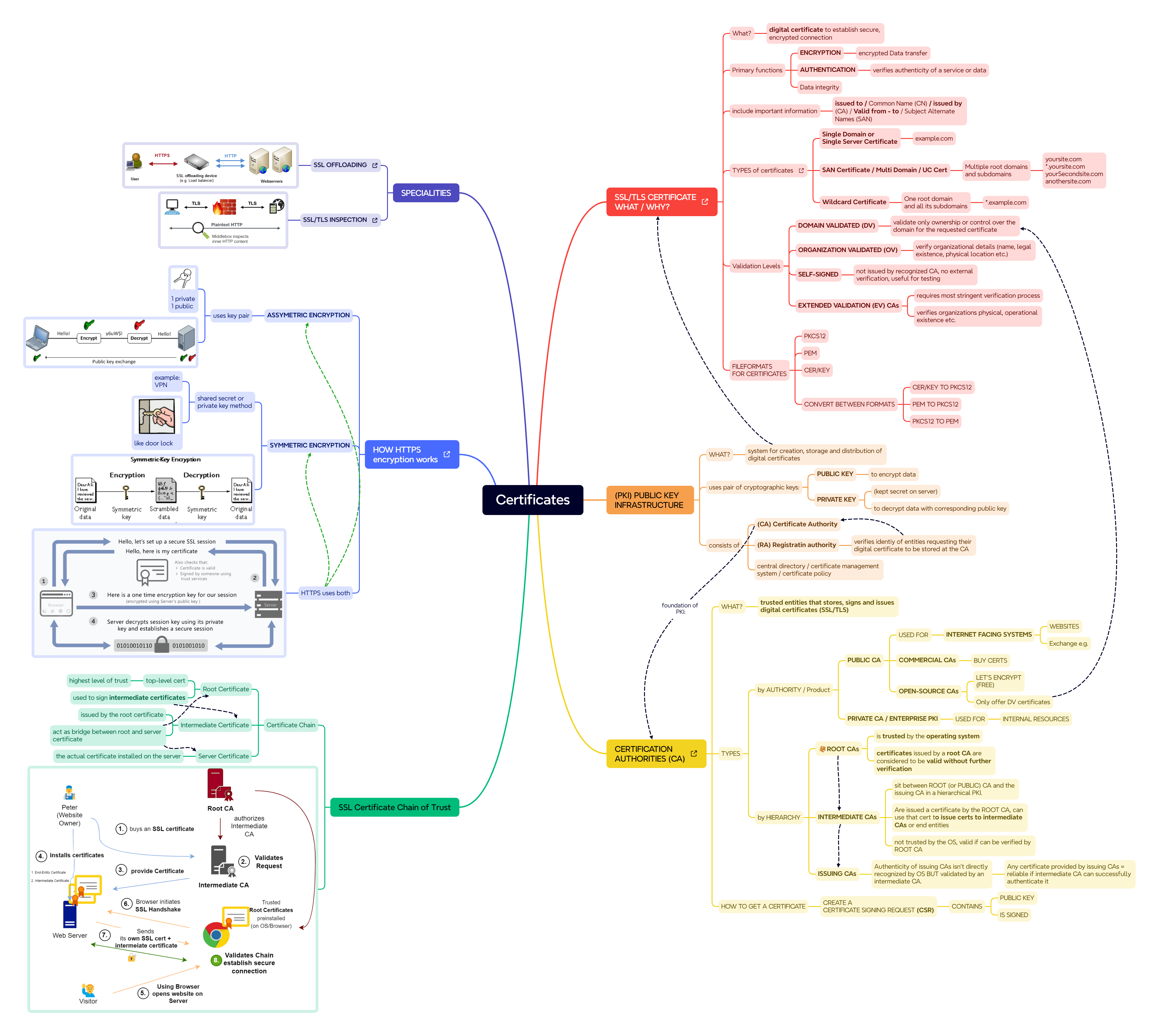
Certificates MindMap:

Download the mind map as PNG SSL/TLS Certificates - Mindmap:
Note: My Microsoft Cybersecurity Architect MindMap covers already a lot of topics mentioned here: SC-100 MindMap Collection
This MindMap is based on the MS Learning path: AZ-500

I did a little Microsoft Entra Private Access Test setup.
My goal was to test access to some private Resources hosted on Azure Virtual Machines with Microsoft Entra Private Access instead of VPN.
The test setup is illustrated below: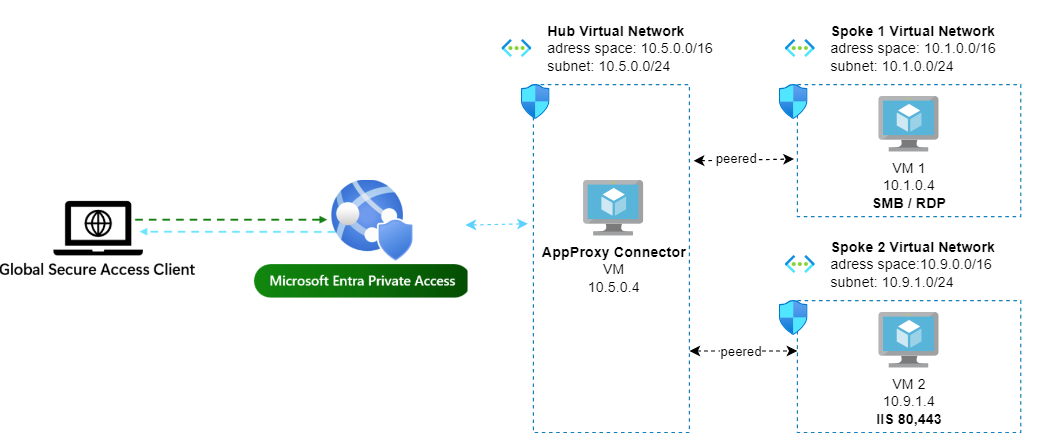
I have one Virtual Machine (VM) with a Windows File Share that I wish to access from my endpoint and I also want to be able to access this VM via RDP.
Additionaly in another Spoke VNET I have a simple Web Server which I also would like to access via Private Access.
Based on Mark’s List of cybersecurity Resources, I created the following Mind Map:

MindMap with Top 10 Active Directory Attack methods and How to Protect against them:

MindMap for the Book
Factfulness: Ten Reasons We’re Wrong About The World - And Why Things Are Better Than You Think - by Hans Rosling

Recently I had some talks with developers which made me to realize that I didn’t fully understand how App Registrations are working. I was aware that we are registering an app and allowing the app certain permissions but in detail I didn’t understand it.
Basically for every app where you want to use the Microsoft Identity Platform, you need to register your app. So you want to login into a certain webapp with your Microsoft Account? This app needs to be registered in Azure AD. After you logged in into your application, this app maybe also need some data of your Microsoft Account and you maybe need to grant perrmissions.
In my recent self-study, I have been working through the Microsoft SC-100 learning path. One of the ways that I have been organizing and consolidating my learning is by creating mind maps of the key concepts and topics covered in the course.
You can find some of those mind maps below:
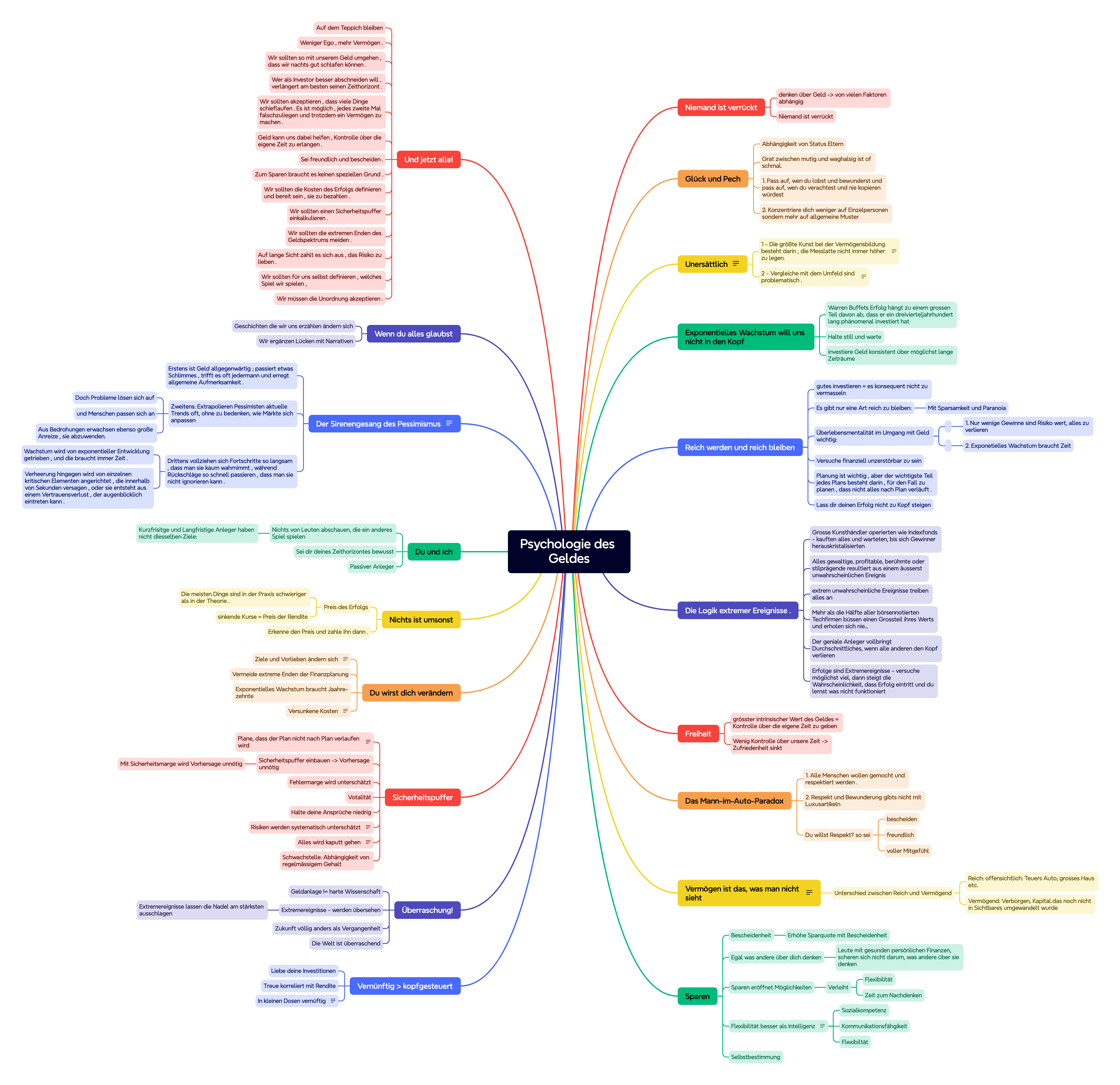
Ein MindMap als Buchzusammenfassung für das Buch Pychologie des Geldes - von Morgan Housel
Links:
Psychologie-des-Geldes-MindMap.svg
Psychologie-des-Geldes-MindMap.png
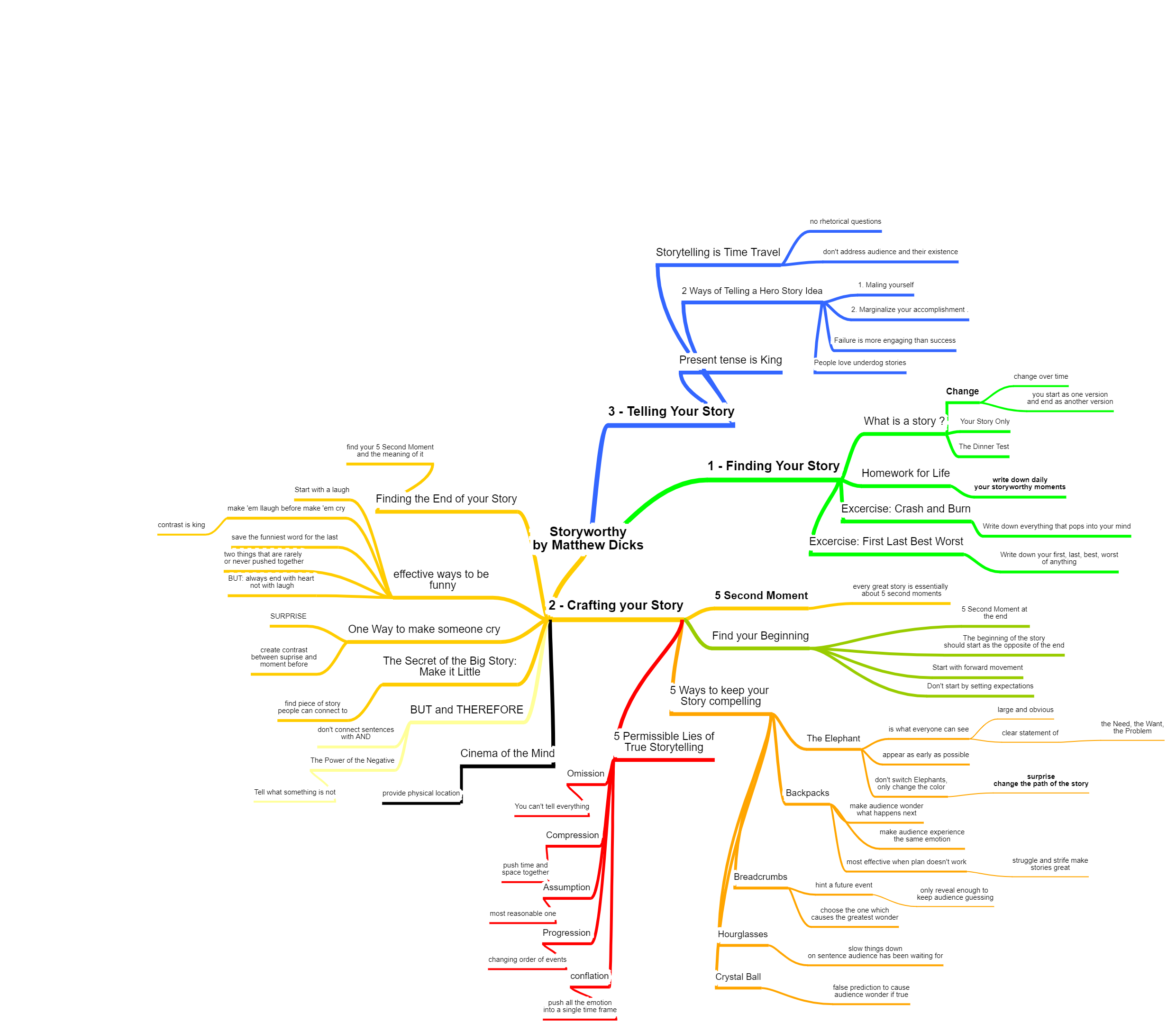
MindMap for the Book Storyworthy - by Matthew Dicks
link: https://learn.microsoft.com/en-us/azure/backup/backup-azure-sql-automation#stop-protection
I had a case where I did need to migrate a lot of databases from one SQL Server on a Azure VM to another VM. After the successful migration there were a lot of old databases on the “old SQL Server” offline and I got a lot of Azure Backup Alerts. Because I was to lazy to disable the backup for each database by hand, I created the following small script which will do that job.
Yes… its annoying there is no built in role to only allow restarting of Azure Virtual Machines… The Virtual Machine Contributor Role allows to much. With this role you are able to destory and create VMs..
So what I want to do in this case is creating a custom role which only allows to start / stop / restart Virtual Machines. And I want to do that with terraform because I’m doing the whole Azure Resource Deployment with terraform anyway.
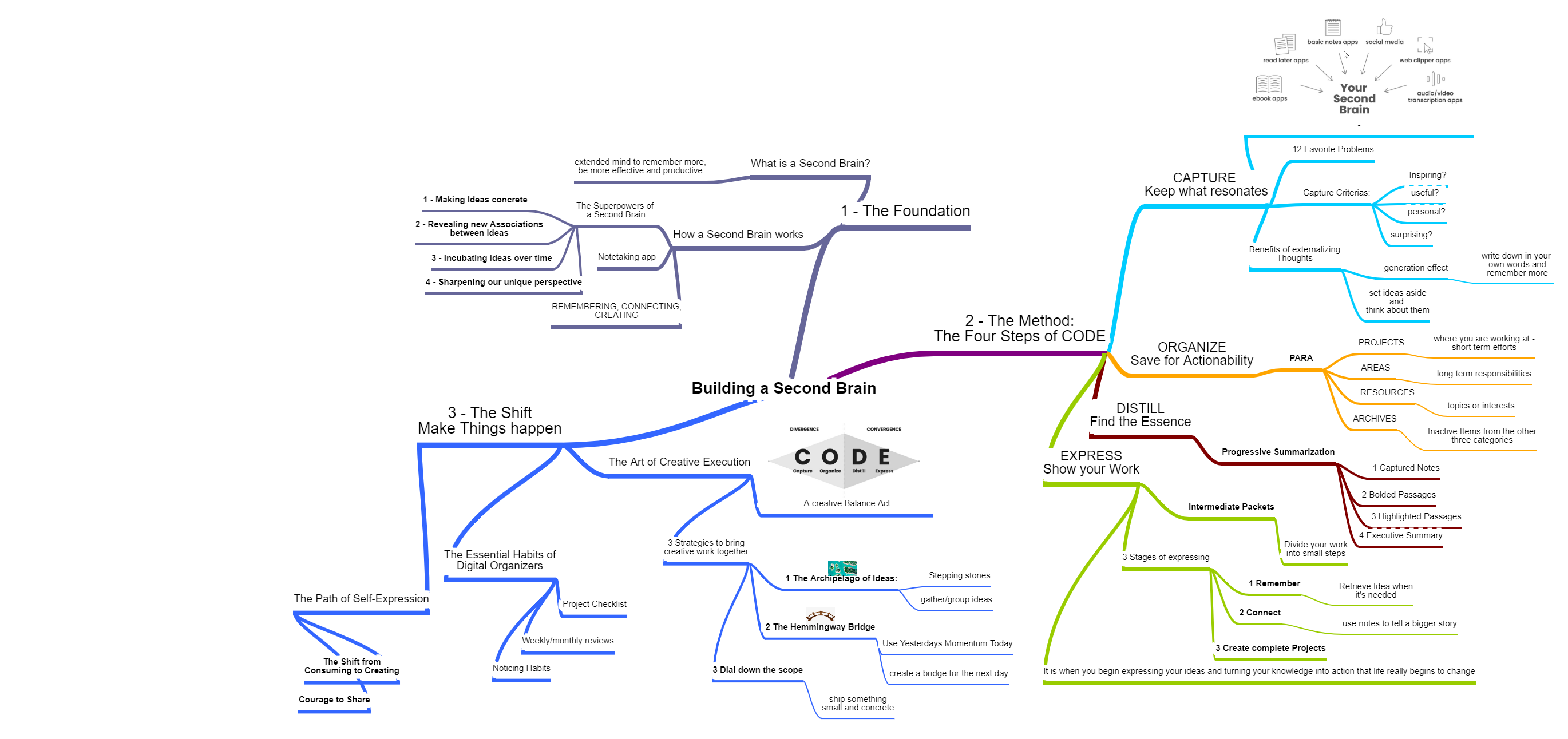
This MindMap tries to give an Overview over the book Building a Second Brain - by Tiago Forte
Folgendes MindMap bietet eine Übersicht über die Umdenktipps vom Buch ThinkAgain von Adam Grant.
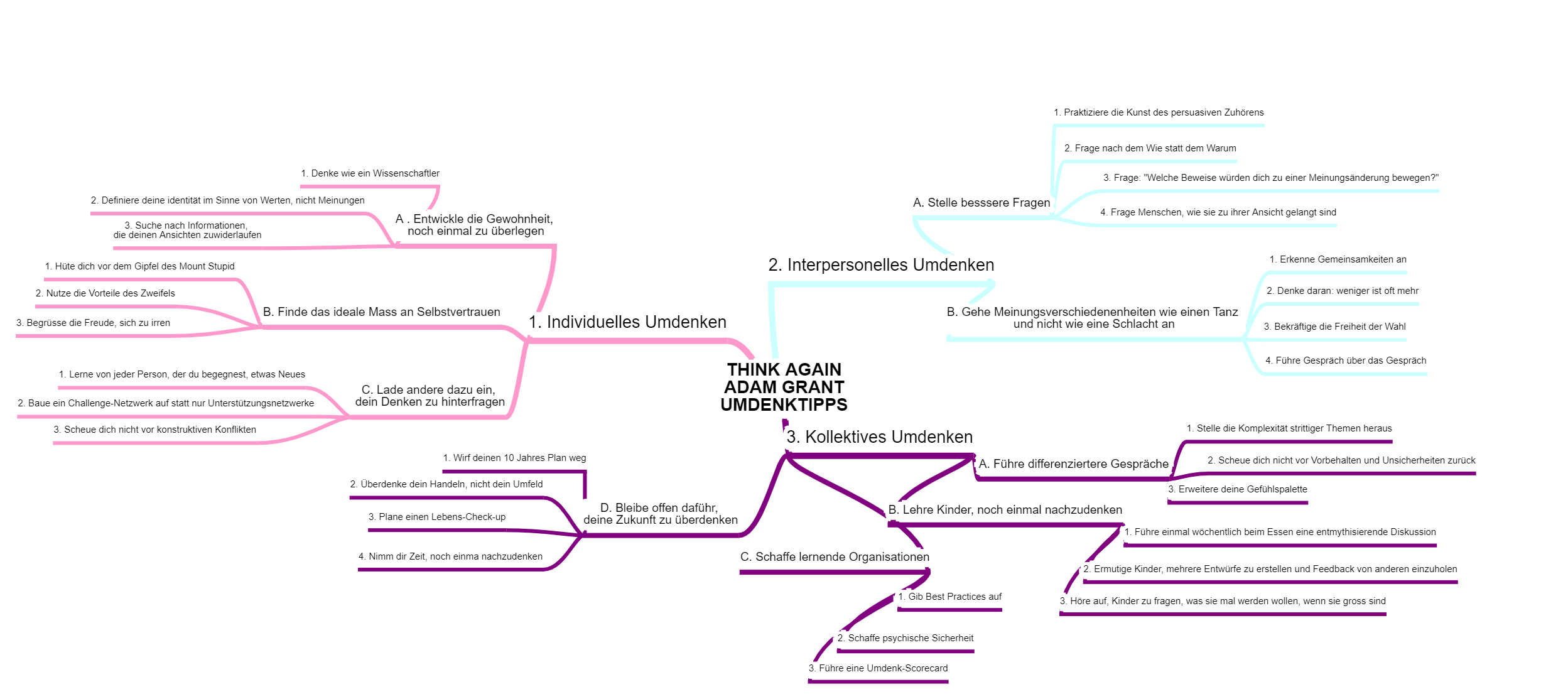
Link zum Buch: ThinkAgain
In folgendem MindMap habe ich Teile des Buches MINDFUCK von Petra Bock zusammengefasst:
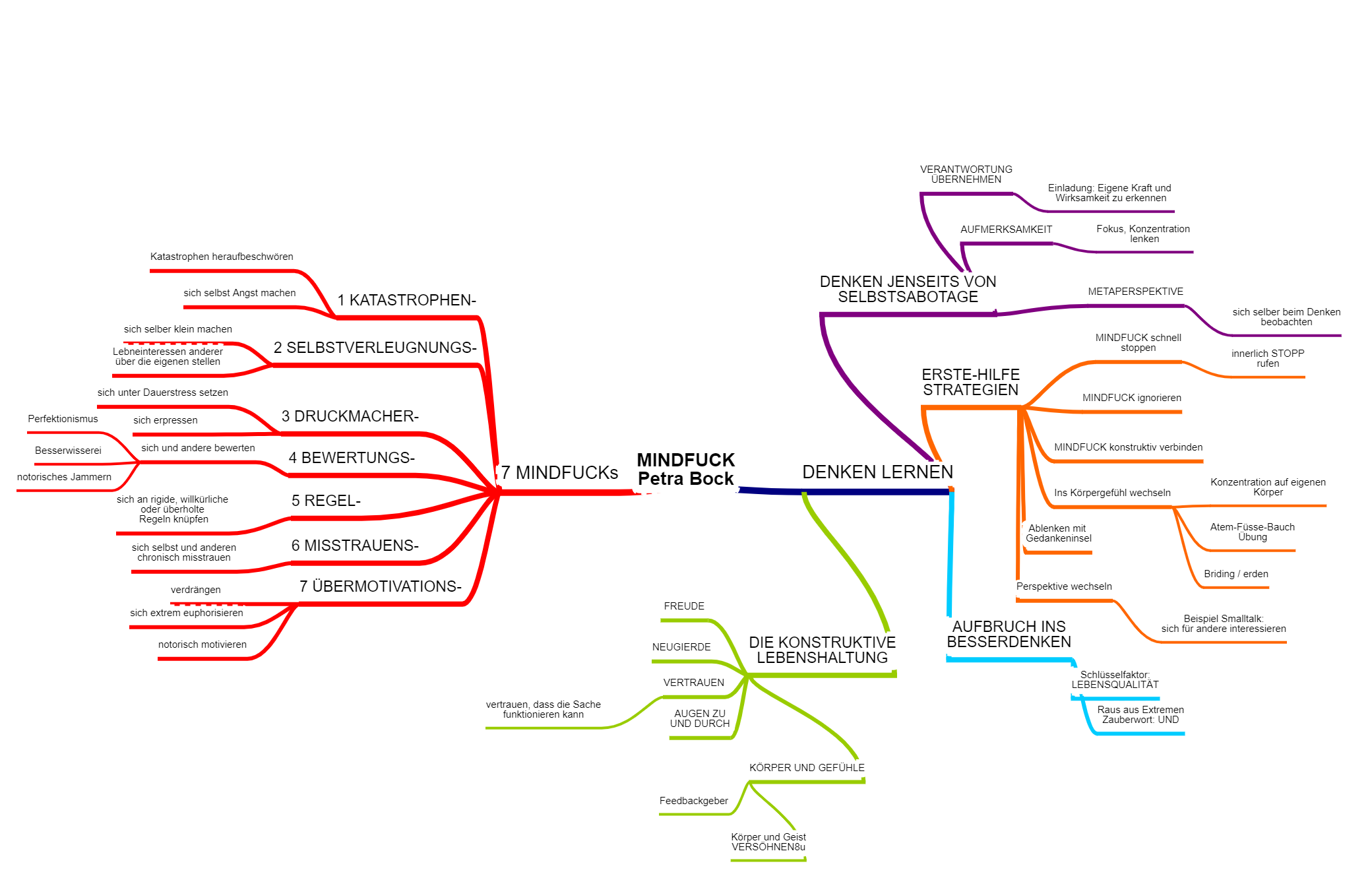
Link zum Buch: https://www.amazon.de/Mindfuck-selbst-sabotieren-dagegen-k%C3%B6nnen/dp/3426655071
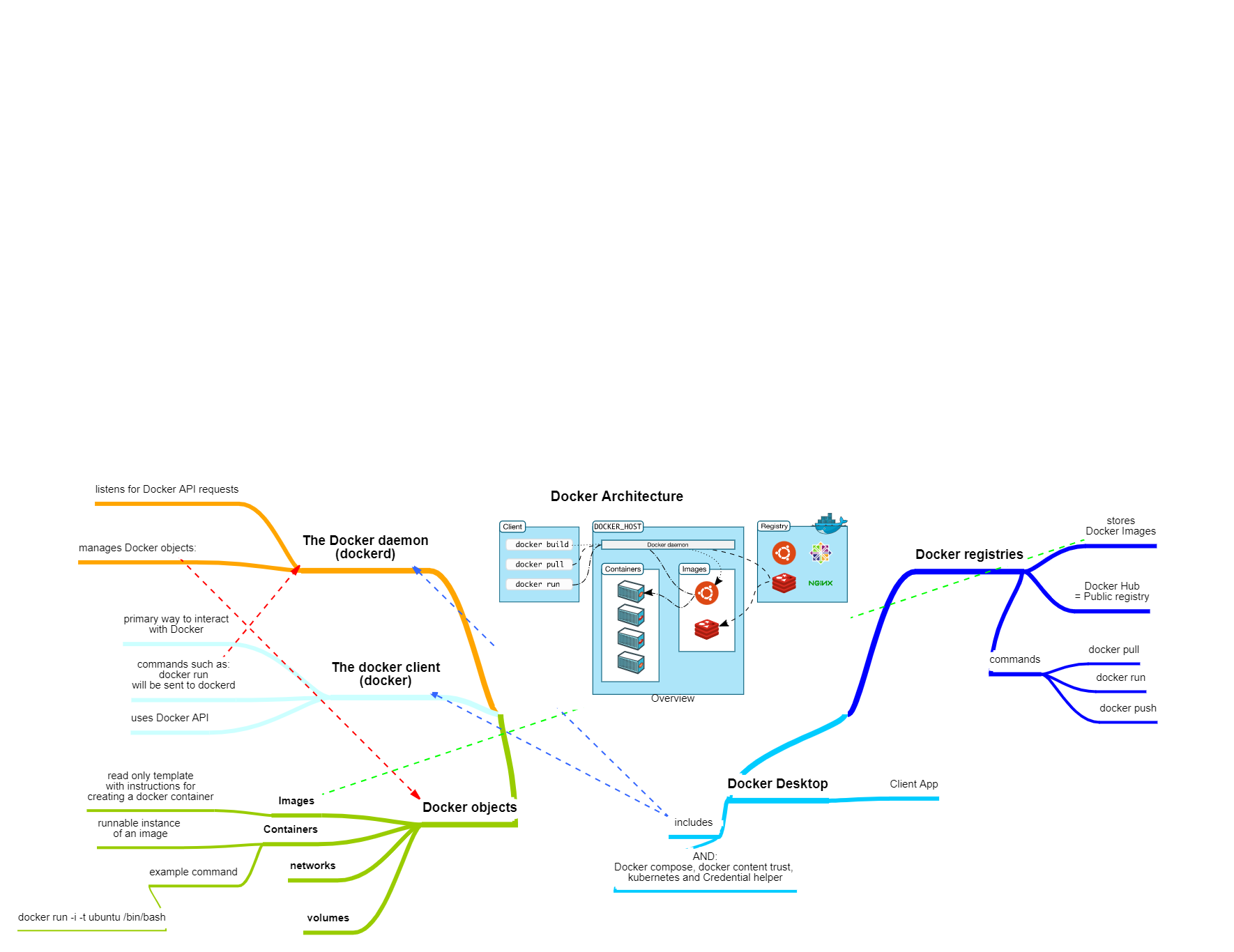
Docker Architecture Overview:
This MindMap was created using the following Microsoft Learn Path: Introduction to Machine Learning